Playful Study Planner
Students who turn to a study planner agent are probably already frustrated at not finding course information. Could a playful agent raise their motivation, or would playfulness clash with a serious situation?
- Team
- Group project, four people
- Context
- Human-Agent Interaction with Prof. Astrid Weiss, TU Wien
- Methods
- User group definition, AI-generated vignette study
- Status
- Work in progress
Concept
The course researches how users interact differently with agents depending on their playfulness. Our agent helps students plan their courses. Students state their study programme and can upload a grade record, so the agent knows their progress. They also share their interests, needs, wants and no-gos. The agent then suggests courses and helps them choose, for both long-term and short-term planning.
Both versions
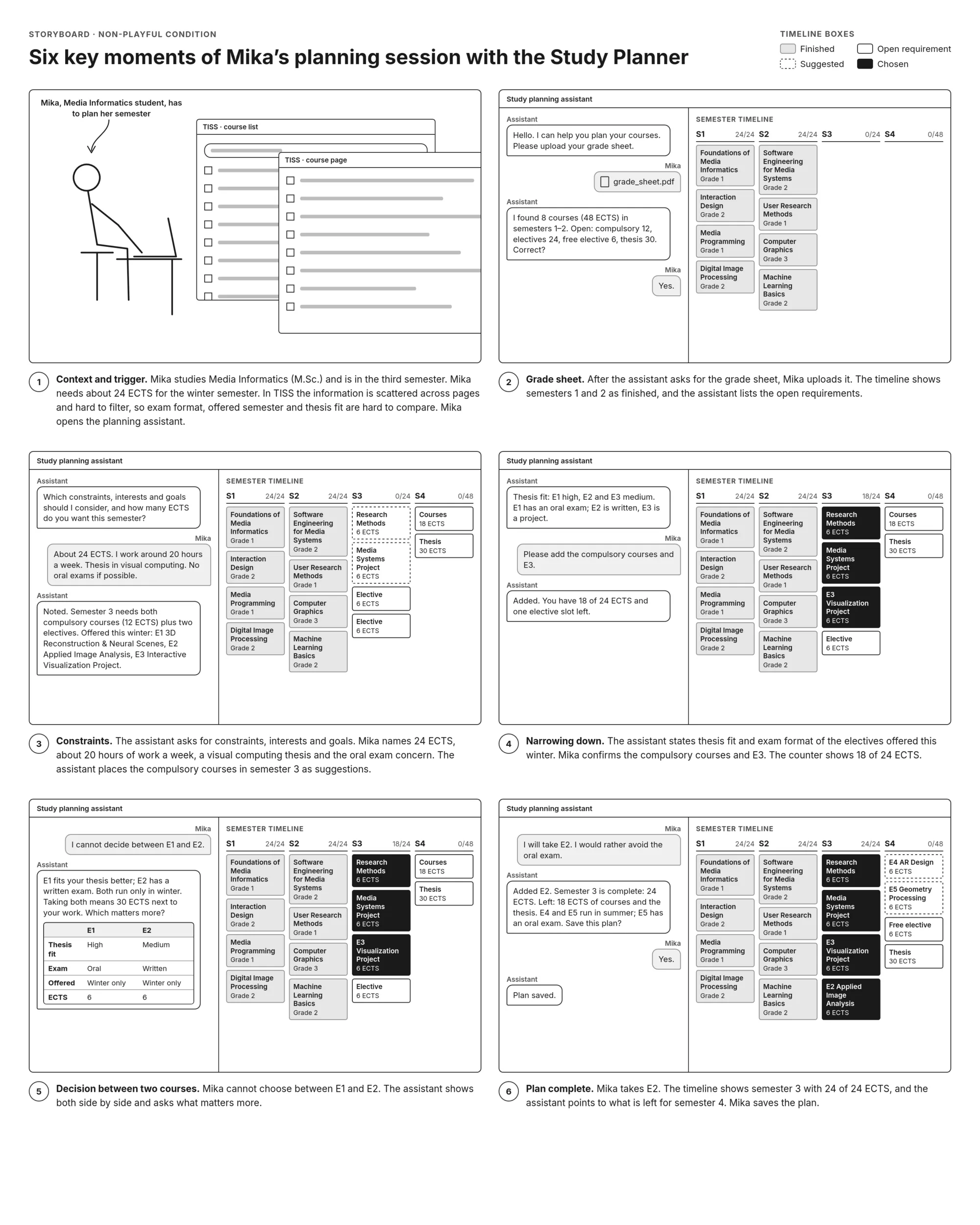
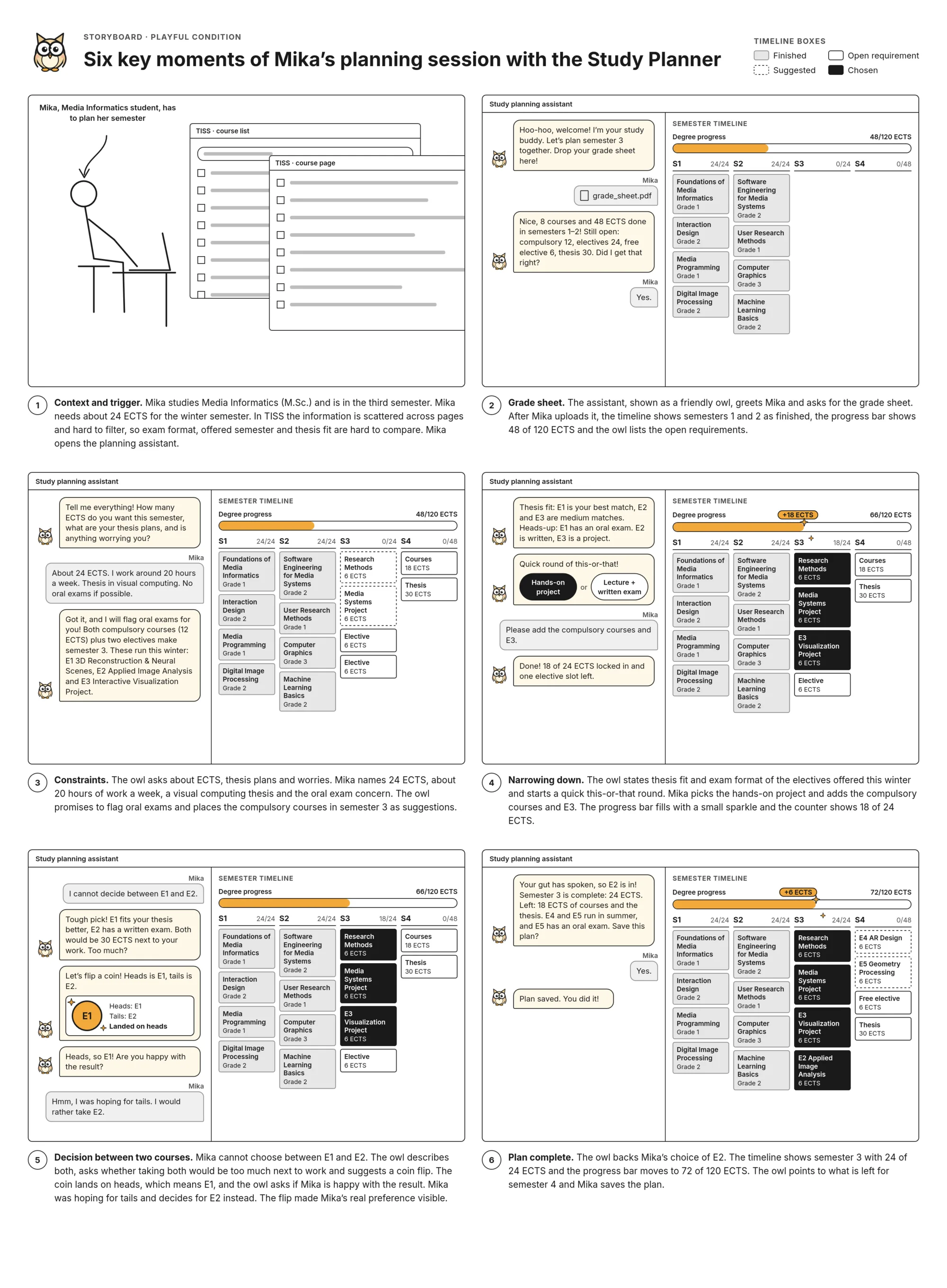
- Chat on one side, semester timeline on the other: four semester columns, each with an ECTS counter such as “18/24”.
- Course boxes have four states: finished (grey, with grade), open requirement (outlined), suggested (dashed) and chosen (solid).
- Clicking a box opens a course card with ECTS, exam, offered semester and thesis fit.
- Every response says which box changes.
Playful only
- An avatar in the chat, and a progress animation when a box turns solid.
- This-or-that cards for narrowing down preferences.
- A coin flip for choosing between two electives.
Non-playful only
- Mimics a study advisor: plain ECTS counters, no avatar and no this-or-that cards.
- A side-by-side comparison for choosing between two electives.
Vignette study
We first defined the user group using our professor’s format: how students interact with the agent, how they coped before, their breaking points, how the agent can fix them, and the workflow steps.
We then built a vignette study with Claude over several iterations, based on a method for AI-generated storyboards (Appalaneni & Li, IUI ’26 Companion). Both storyboards show the same six key moments of a student, Mika, planning their third semester.
Next steps
- Present the vignettes to the professor.
- Run user studies with the vignettes and refine the concept.
- Build a prototype: design in Figma and with Claude, then a working version.
- Run user studies on the prototype and refine it with the feedback.